
Pin at the exact spot
The incident stays where you mark it: mall area, hotel room or school classroom, along with its floor.
Interactive simulation
A mall, a hotel or a school runs like a small city: reports from tenants, guests or teachers, staff on patrol, cameras and protocols that leave no room for improvisation. This is how it is coordinated from a single center, with the exact location of every incident.
Step 1 · Tap the floor plan where the incident is happening: the report's pin goes there.
Mall outline, parking lots and walkways: OpenStreetMap. Imagery: Esri. Staff, cameras and reports are fictitious.
The incident stays where you mark it: mall area, hotel room or school classroom, along with its floor.
Each floor with its rooms, stairs, elevators, cameras and entrances; thumbnails show the whole building at once.
The list is sorted by actual walking distance, counting corridors and floor changes.
Code Adam, smoke, elevator rescue or evacuation: critical steps cannot be skipped.
Response times by type and area for the management committee and tenants.
Simulation with fictitious data that runs entirely in your browser. The real system is configured with each institution's catalogs, roles and integrations.
More simulations
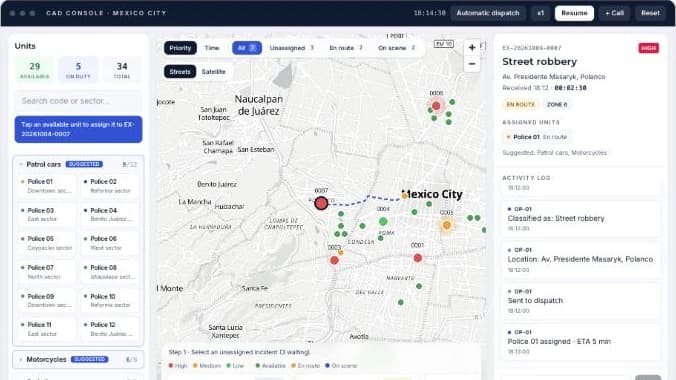
Take incoming incidents, dispatch units on the map and track response times in real time.
Open simulation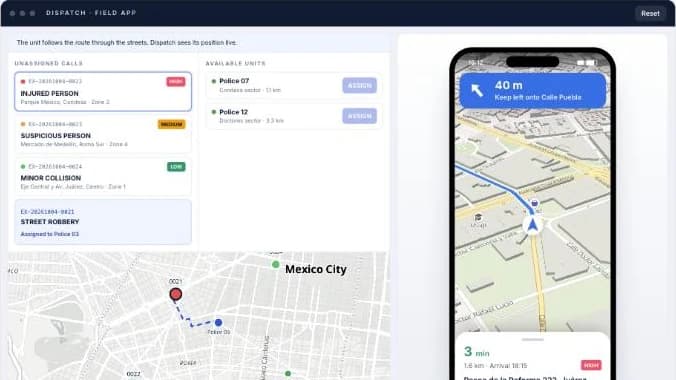
You assign the call from dispatch and the unit's phone receives it with turn-by-turn navigation to the scene.
Open simulation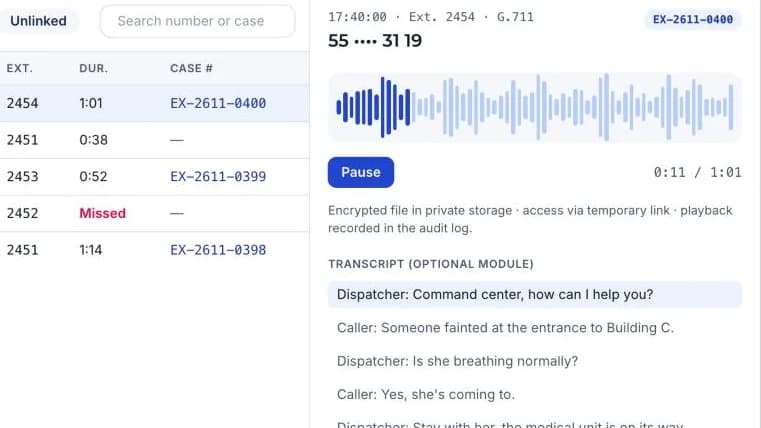
Live extensions, recorded calls, a filterable call log and a player linked to each case number.
Open simulation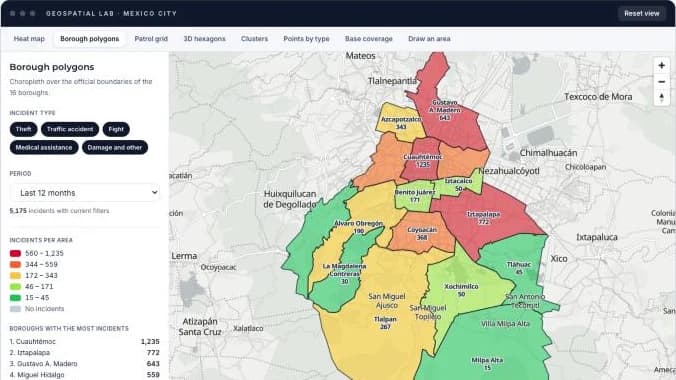
A heat map by hour of day plus seven more ways to read the same incidents: borough polygons, patrol sectors, 3D hexagons, clusters, base coverage and areas you draw yourself.
Open simulation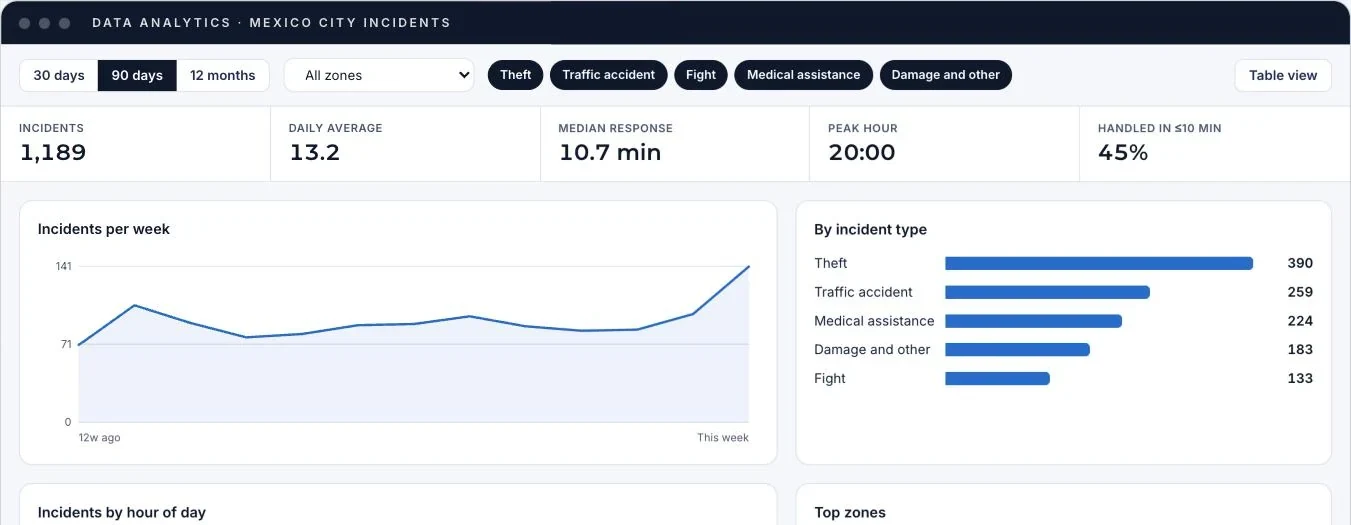
A dashboard with trends, incident types, peak hours, areas and response times, with filters and a table view.
Open simulation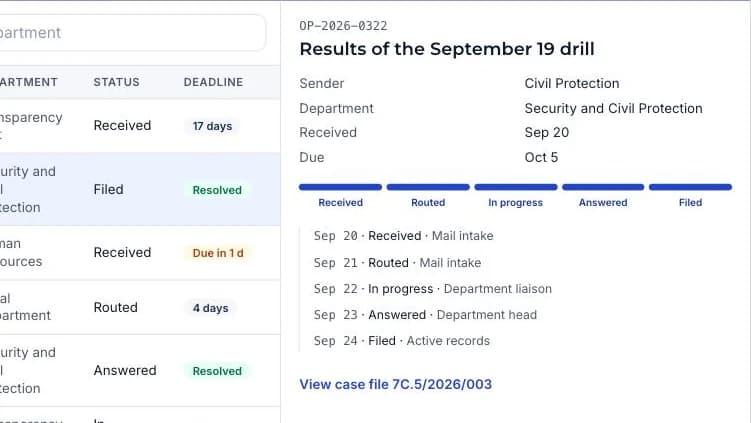
Mail intake, routing and deadlines, case files with a classification scheme and reports, like a records ERP.
Open simulationWe set up a demo with the catalogs and real cases from your operations.