
Instant notification
The call reaches the phone with priority, address and description, without relying on the radio.
Interactive simulation
The dispatcher sends the call and within seconds it appears on the officer's phone. The officer confirms receipt, follows the route to the scene, reports arrival, uploads evidence and closes it out. The command center sees every step as it happens.
Step 1 · Select a call and assign it to an available unit.
Unassigned calls
Available units
Call log
Exylia Field
Police 03
No call assigned
Waiting for dispatch…
Fictitious calls and units. Maps and routes from OpenStreetMap data (OpenFreeMap and OSRM).
The call reaches the phone with priority, address and description, without relying on the radio.
The unit gets turn-by-turn directions, distance and arrival time; dispatch sees its position live.
Every step the unit takes, from notification to closure, is timestamped in the case record.
Photos, notes and the checklist are added to the incident file.
Simulation with fictitious data that runs entirely in your browser. The real system is configured with each institution's catalogs, roles and integrations.
More simulations
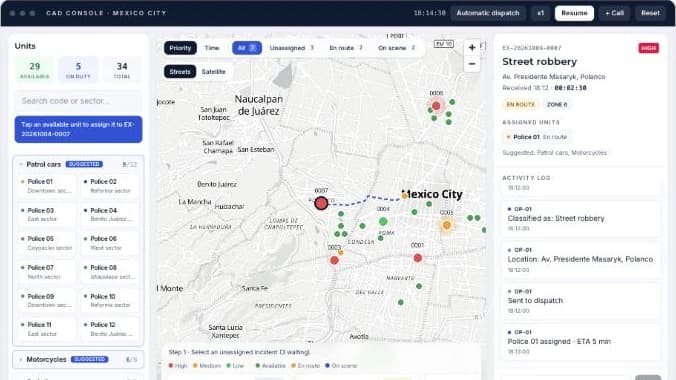
Take incoming incidents, dispatch units on the map and track response times in real time.
Open simulation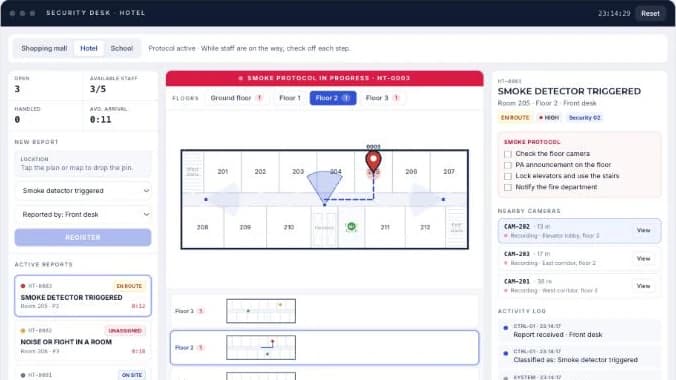
Drop the incident pin on the map or on each floor plan, assign the nearest staff member and follow the protocol.
Open simulation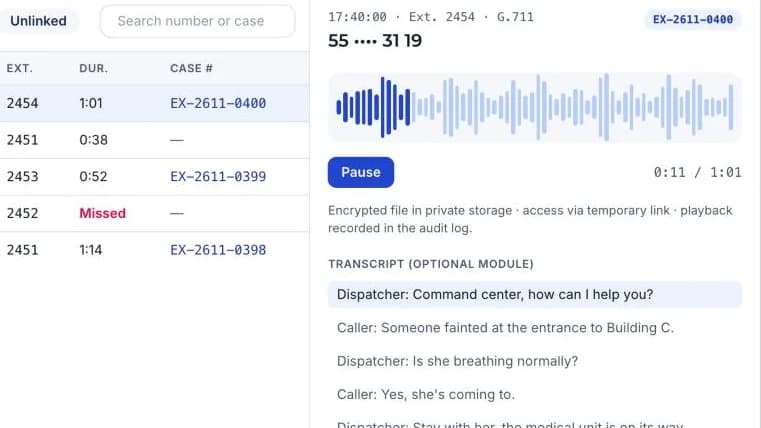
Live extensions, recorded calls, a filterable call log and a player linked to each case number.
Open simulation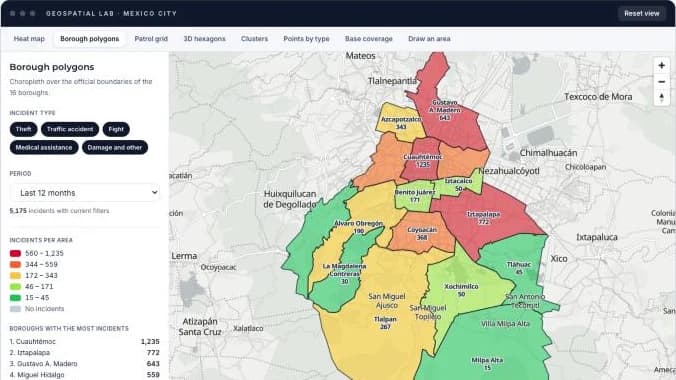
A heat map by hour of day plus seven more ways to read the same incidents: borough polygons, patrol sectors, 3D hexagons, clusters, base coverage and areas you draw yourself.
Open simulation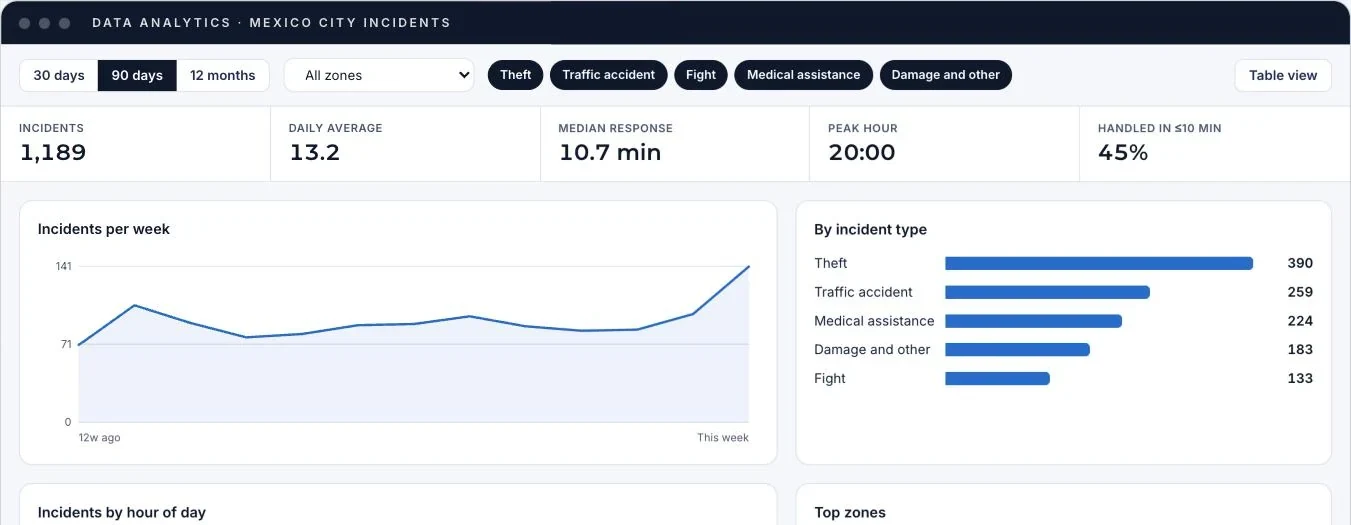
A dashboard with trends, incident types, peak hours, areas and response times, with filters and a table view.
Open simulation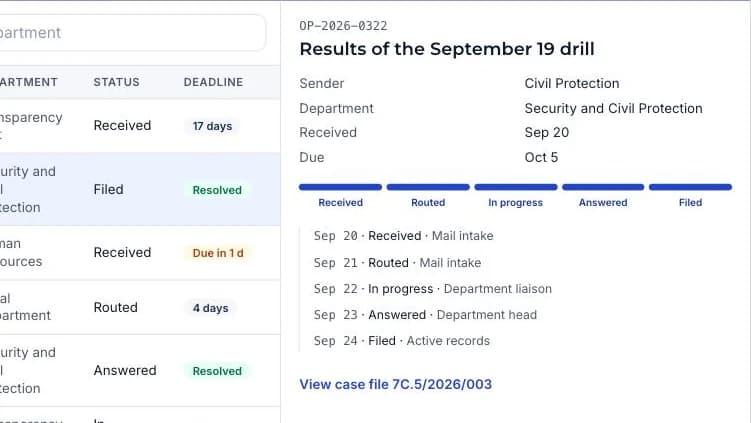
Mail intake, routing and deadlines, case files with a classification scheme and reports, like a records ERP.
Open simulationWe set up a demo with the catalogs and real cases from your operations.